

Using your depth of field preview button
The depth of field preview button does a lot more than just "make things darker." There are plenty of practical uses to the DOF preview. Below is an illustration of just one of those uses: detecting intruders.
Intruders are those things you never saw in the viewfinder but nevertheless end up in your final shot.
As you may already know, when you look through your viewfinder, you are also looking through the lens at its widest aperture, regardless of the f-stop you've chosen. This also shows the shallowest depth of field. What this means is that unless you're shooting with the lens wide open, what you see in the viewfinder isn't what you get in the final image.
Depending on the lens you're using, where you're focused, and the situation, it may come about that there are objects in the scene that are too close to the camera to be seen in the viewfinder (because of that shallow depth of field). But if you're using a small aperture opening like f/16 or f/22, these objects stand a real good chance of showing up in your final image. The trick to stopping these intruders is to simply look for them using your depth of field preview button. The button stops down the lens to its shooting aperture, allowing you to see what the camera will record.
Now I know most of you are saying that the viewfinder gets too dark at f/22 to see any detail, and that's often true. But you don't need to see detail. You're looking for things that aren't supposed to be there, and the DOF preview button allows you to do that.
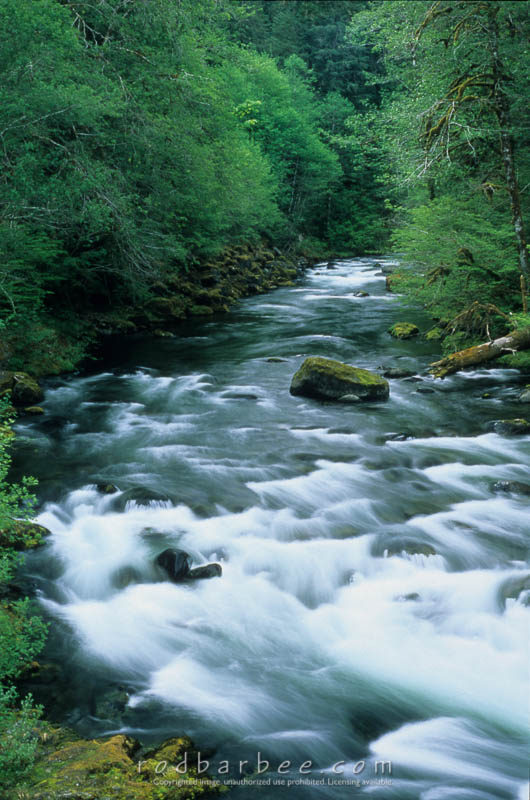
In the pair of images below, the "Before" image was shot with the lens wide open to show what is seen in the viewfinder. It's really easy to not notice things in the viewfinder, especially when you're concentrating on your composition and technical details. In this case, I'm concerned about placing the curve of the river and deciding where I want the rock and how much of the lower shoreline to show. I also want a long shutter speed to smooth out the water. To obtain a long enough shutter speed I also need a small aperture opening.
So I may not even notice that sort of blurry thing there at the right. By pushing the DOF preview button however, the branch that I can't see wide open at f/2.8 becomes glaringly obvious previewed at f/22. Sure, the viewfinder gets dark, but the branch becomes very easy to notice. And once you notice it, you can do something about it like changing your position or pulling the branch out of the way before being stuck with it in your final shot ("After" image).


Sol-Duc River, Olympic National Park, WA