Well, I finally had the chance to put those new Maven filters (affiliate link) to use during my Olympic National Park workshop. The Mavens are much easier to use than traditional filters and I’ve now put adapter rings on all my main lenses. For background, see my previous "First Impressions" post.
Some of my older lenses have filter threads that have seen better days, and it sometimes takes a bit of time to attach a filter. This is especially annoying when the light is changing. All of these lenses now have a Maven magnetic adapter so no more frustrations with screwing in filters. And it’s super easy to move filters from one lens to another.
I originally purchased my set through the Maven Kickstarter campaign. I added extra adapter rings and lens caps. After receiving the set, I quickly realized I wanted adapter rings on all my main lenses rather than moving an adapter ring from one lens to another, which seems to defeat the ease and efficiency of using these filters. I currently have four adapter rings.
Speaking of adapter rings, Maven sells step-up adapter rings too. Just get the filter set for your lens with the largest filter thread size and step-up rings for the other lenses.
You’ll probably also want the magnetic lens caps. I love these. They’re easy to attach and remove and they stay on better than regular lens caps. The only thing you need to watch for is if you put a lens cap over one of the filters. When you take off the lens cap, the filter may come with it.

In the field, these filters are a joy to use. The color coding makes it easy to find the filter you want and attaching them to a lens is fast and easy. The magnets are strong so I don't worry about the filters coming off. The soft case (included) can easily fit in a jacket pocket, or you can attach it to your belt using the belt loop. There is also a carrying loop and a metal ring for attaching to other things.
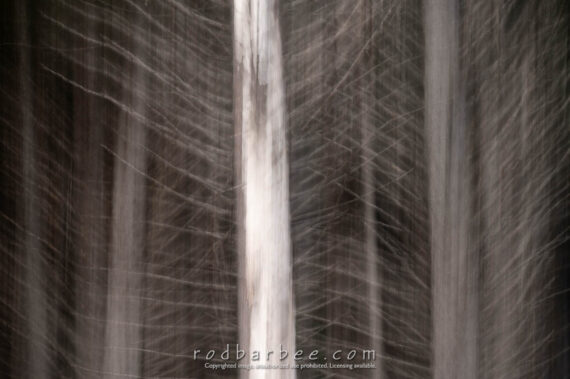
Because these filters are so easy and fast to attach, I find I’m more likely to try creative long exposures.
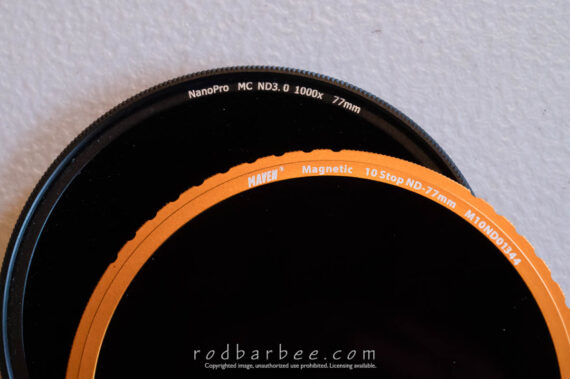
The color coding makes choosing the filter simple. No more trying to read the teeny tiny print on the side of a filter to see which one it is. And no more having to know what ND 64 or 10X actually means. Each Maven filter is plainly marked as to what it is. For the ND filters, it’s simply 3 Stop ND-77mm, for example. But you’ll soon get used to the color coding, it’s so convenient and so smart you’ll wonder how you ever put up with previous filters. You might get the idea I like the color coding.
These filters are thin. I don’t get any vignetting at 16mm unless I stack filters. And then, the vignetting is slight and easily remedied in Photoshop or Lightroom.
I should add that I don’t see any vignette in the viewfinder of my Nikon Z6 mirrorless camera. I do see a slight vignette in the viewfinder of my Nikon D810 DSLR. It’s not bad and is easily fixed in Photoshop or Lightroom.
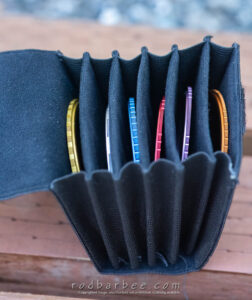
There are several choices for carrying these filters. Maven sells a back cap for stacking filters. Add a front cap and just carry the whole stack in a pocket. They also have soft case (which is included in the set, last I checked), and the hard case the filters are shipped in. And they’ve just added a filter holster and a small pouch for carrying the stacked filters.
Maven also has plans for making lens hoods and more filters. I’m particularly interested in the combo ND+Polarizer filters, as these will greatly reduce any vignetting I’d get from stacking filters on wide angle lenses. I’ll probably need to buy their filter holster to hold more filters….
According to their blog, there will be a second Kickstarter for the new products.
I really like using these filters. They are well-built, super easy and quick to use (have I mentioned color-coding??), they have no color cast, and the magnets are strong.
Visit the Maven store to take a look or to buy. This is an affiliate link so if you buy something, I get a small commission. Win-win!