

Topaz Sharpen AI is an amazing piece of software. It can take out of focus images, images with motion blur, images taken with soft lenses, and image that are soft with atmospheric haze and it makes them sharp.
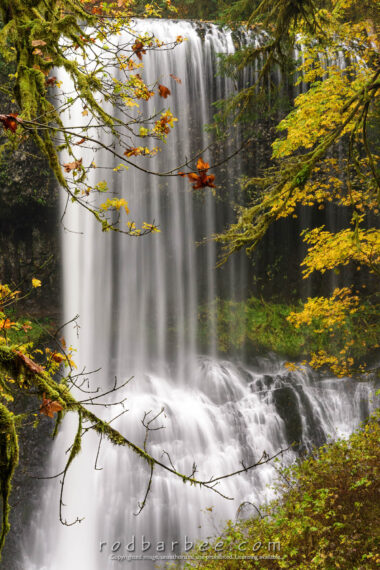
In this image of Middle North Falls in Oregon’s Silver Falls State Park, I needed focus on the branches in front along with focus on the waterfall. I had to compromise a bit, trying to get everything sharp with hyperfocal focusing. But this image was made with my 28-300mm zoom at 160mm, so not so much with the hyperfocal. So I tried biasing the focus more toward the branches. And at 0.4 second shutter speed, there could possibly be some motion blur from moving branches (there definitely is with some of those leaves).
At any rate, those branches in the lower part of the picture are just slightly soft.
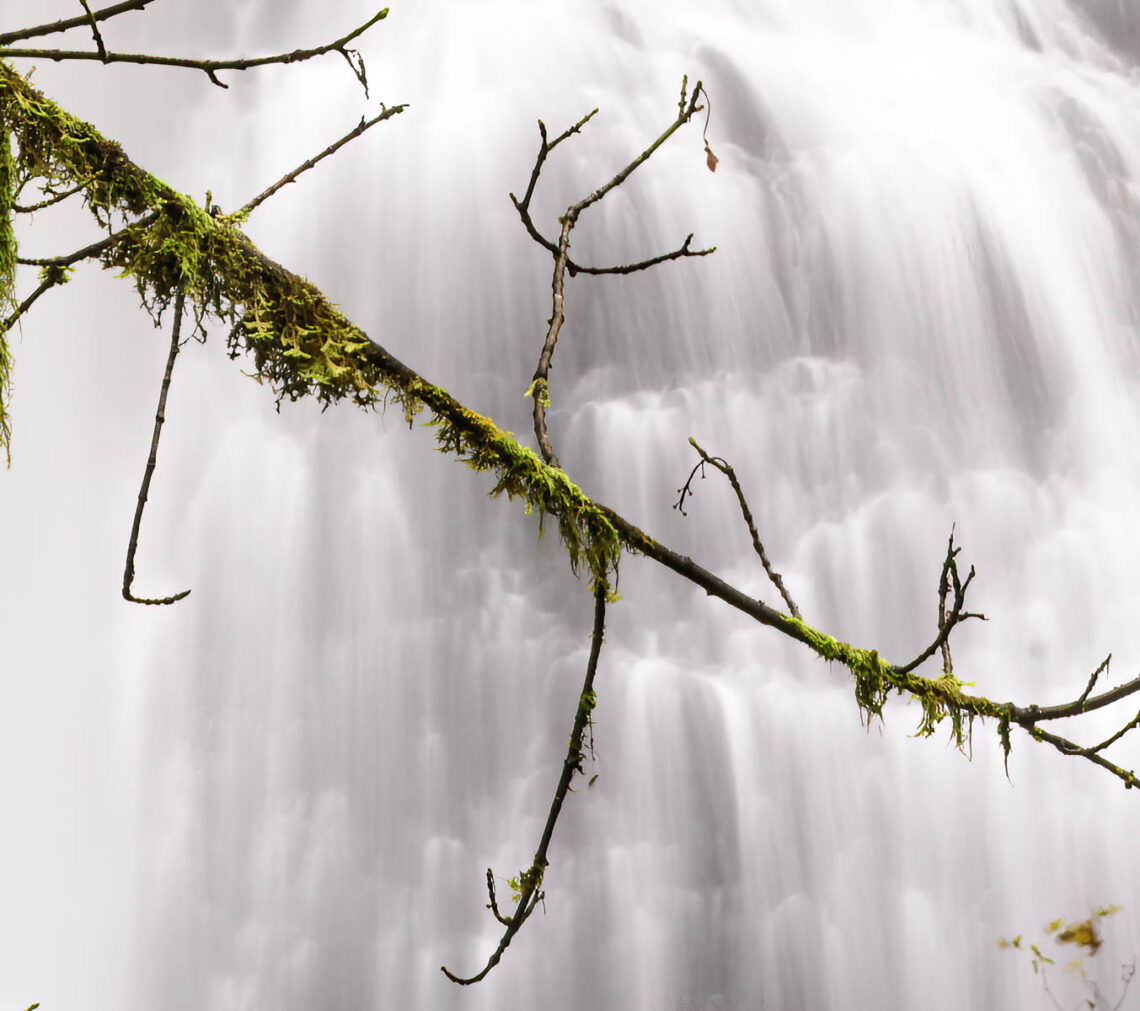
Enter Topaz Sharpen AI. Below is a zoomed in section of the image showing before and after using Topaz Sharpen AI. This was processed using auto settings in Topaz. Move the divide back and forth. You can see how the moss and the branches pop out after being given the Sharpen AI treatment.
Sharpen AI doesn’t have to sharpen the entire image either. Topaz Labs has built in a masking tool into Sharpen AI so you can selectively sharpen images.
See below if you’re considering purchasing Sharpen AI.
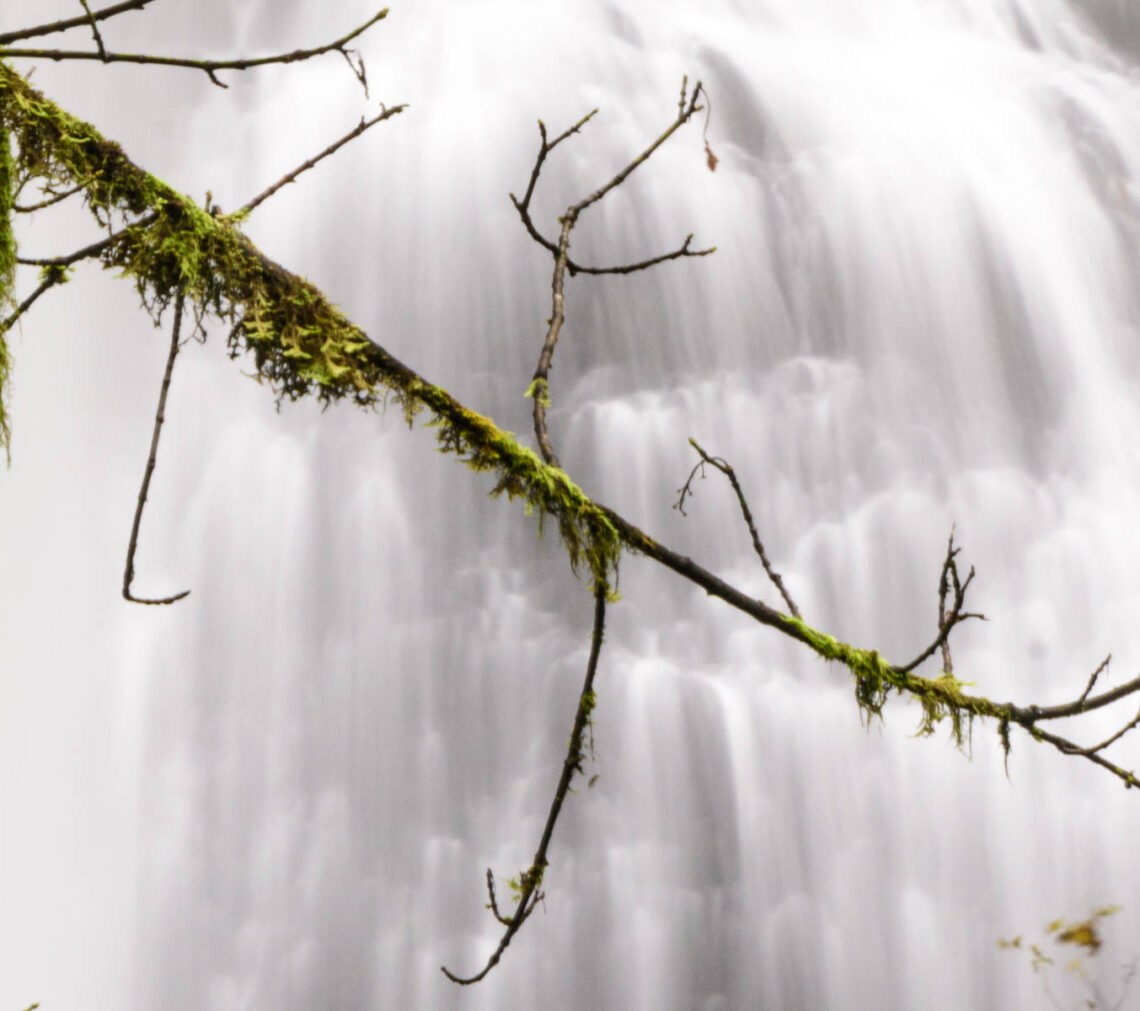
- Original as shot. Branches slightly blurry
- After using Sharpen AI
I use Topaz plug-ins extensively. Primarily DeNoise AI, Sharpen AI, and Gigapixel AI and I consider them some of the best photography related purchases I’ve ever made. I like them so much that I became a Topaz affiliate. So if you click on any of the links below and purchase, I’ll get a commission. You can also use my affiliate code FRIEND15 for 15% off.




what is the cost
Sharpen AI by itself is $80 before any discount code. The Bundle is usually $260 but until May 6 it’s $99 off before any discount code.
more info on their site